

Mazda 3 & CX-30 No Sound? Amplifier Failure and Programming Guide (2019-2023)
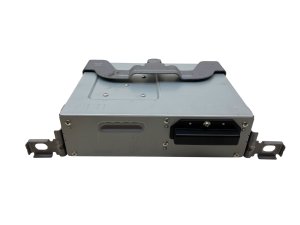
This guide covers the common failures of the standard 8-speaker audio amplifier in 2019-2023 Mazda 3 and CX-30 models, and why professional programming is required after replacement.
- A replacement amplifier (new or used) MUST be professionally programmed to your car's VIN to function.
- This amplifier is only for the standard 8-speaker system, not the 12-speaker Bose system.
- A used amplifier is a good value, but you must factor in the cost of programming by a dealer or equipped independent shop.
- Common symptoms include total loss of sound, popping/static, and an unresponsive volume control.
Symptoms of a Failing Audio Amplifier
When the audio amplifier in your Mazda 3 or CX-30 begins to fail, the signs are usually impossible to ignore. Because this unit is a digital module, failure can present as more than just poor sound quality.
- Complete Loss of Sound: The most common symptom is a total lack of audio from any source (FM, AM, Bluetooth, CarPlay/Android Auto). The infotainment screen may appear to be playing music, but no sound comes out.
- "No Audio" Message: The infotainment screen may display a "No Audio" message or be stuck on one audio source without the ability to change it.
- Popping, Crackling, or Static: Loud, persistent static or popping noises may come from the speakers, sometimes even when the audio system is supposed to be off.
- Sound Cuts In and Out: Audio may play intermittently, cutting out randomly while driving.
- Unresponsive Volume Control: Turning the volume knob does nothing, and the volume level indicator may not appear on the screen.
- Infotainment System Lag: In some cases, a failing amplifier can cause the entire Mazda Connect system to become slow or unresponsive as the main computer struggles to communicate with the faulty module.
Pro Tip: Before assuming the amplifier is dead, try a soft reset of the infotainment system. Press and hold the Mute, Nav, and Back buttons around the commander knob for about 10 seconds until the screen reboots. Sometimes a software glitch can cause similar symptoms, and a reset is a free and easy first step.
🎬 Watch this video on fixing Mazda 3 and CX-30 audio issuesVehicle and Part Compatibility
Correctly identifying this part is critical. Installing the wrong amplifier will not work.
Warning: This amplifier is ONLY for vehicles equipped with the standard 8-speaker audio system. It is NOT compatible with the 12-speaker Bose premium sound system. The plugs and programming are different. Always verify your vehicle's sound system before purchasing.
Applicable Models:
- 2019, 2020, 2021, 2022, 2023 Mazda 3 (Non-Bose)
- 2020, 2021, 2022, 2023 Mazda CX-30 (Non-Bose)
Turbo vs. Non-Turbo Engine Note:
The initial buyer warnings mention that for 2021-2023 models, this part may only fit non-turbo engines. This is generally because higher trim levels, which often include a turbo engine, typically come standard with the 12-speaker Bose system. Therefore, this non-Bose amplifier would not be compatible. The key factor is the sound system (8-speaker vs. 12-speaker Bose), not the engine itself.
The Critical Step: VIN Programming is Not Optional
This is the single most important factor to understand when replacing the audio amplifier in these vehicles. You cannot simply swap a new or used amplifier and expect it to work. The replacement unit must be programmed to your car's Vehicle Identification Number (VIN).
The amplifier is a 'smart' module on the car's computer network. Programming does two things:
- VIN Synchronization: It pairs the amplifier to your specific car, preventing theft and ensuring it communicates correctly with the other modules like the infotainment screen and gauge cluster.
- Feature Configuration: It tells the amplifier what features your specific car has, ensuring all functions work as intended.
If you install an unprogrammed amplifier, you will continue to have no audio. The unit will be 'locked' until it is properly configured using specialized software.
Who Can Program the Amplifier?
- Mazda Dealerships: Dealers have the required diagnostic tool, called MDARS (Mazda Diagnosis and Repair Software), to program a new or used amplifier to your vehicle.
- Qualified Independent Shops: Some independent repair shops invest in subscriptions for manufacturer software. A shop with a current MDARS subscription and a J2534 pass-thru interface can also perform this programming. DIY tools like FORScan are not capable of this specific module programming for these newer generation vehicles.
Buying a Used Audio Amplifier: What to Look For
A used OEM amplifier is an excellent way to save money, as long as you account for the mandatory programming cost. Since even a brand-new part needs programming, a functional used part offers the same potential at a lower price.
- Plan for Programming: Before you buy a used amplifier, have a plan for who will program it. Call your local dealer or a trusted independent shop and confirm they are able to program a customer-supplied used amplifier. Get a quote for this service.
- Physical Inspection: The amplifier is located under the front passenger seat. 🎬 See how to access and remove a Mazda 3 amplifier This location can be vulnerable to spills or water entry from an open window. When buying used, inspect the casing for any signs of corrosion, especially around the connector ports. Check the connectors themselves for any bent or corroded pins.
- Part Numbers: Match the part number as closely as possible. Part numbers like BDGF-66-A20A, BDGF-66-A20B, and BDGF-66-A20C are often revisions of the same part. A newer revision (later letter) is generally acceptable or even preferred, but the core part number should match. The crucial step is the programming, which makes the specific origin of the used part less important than its physical condition.
Replacement Cost Breakdown
The cost of replacing the audio amplifier can vary significantly based on the source of the part and labor rates.
| Item | Estimated Cost | Notes |
|---|---|---|
| New OEM Amplifier | $400 - $750 | Purchased from a Mazda dealership parts counter. |
| Used OEM Amplifier | $150 - $350 | Prices from online marketplaces like eBay. Requires programming. |
| New Aftermarket | Not Available | Direct-fit aftermarket replacements for this integrated unit are not commonly available. |
| Shop Labor (Physical Swap) | $100 - $200 | Approximately 1 hour of labor to access and swap the unit under the passenger seat. |
| Shop Labor (Programming) | $150 - $300 | Typically 1-1.5 hours of labor for module setup and programming with MDARS. |
Frequently Asked Questions (FAQ)
Can I just swap an amplifier from another Mazda 3 or CX-30?
No. The amplifier is VIN-locked for anti-theft and configuration purposes. A used amplifier from another vehicle will not produce sound until it is professionally reprogrammed to your car's VIN.
Can I upgrade to the Bose system by just changing the amplifier?
No. The Bose system uses 12 speakers, a different amplifier, different wiring, and different programming. A simple amplifier swap is not possible and will not work.
Is there a fuse for the amplifier I should check first?
Yes. Always check the fuses before replacing expensive components. Check your owner's manual for the fuse layout. Fuses related to the audio system or 'TUNER' should be inspected. If the infotainment screen powers on but there's no sound, a fuse is a possible but less common cause than amplifier failure.
Where is the amplifier located?
The audio amplifier for both the 2019-2023 Mazda 3 and 2020-2023 Mazda CX-30 with the standard audio system is located under the front passenger's seat.
Helpful Videos
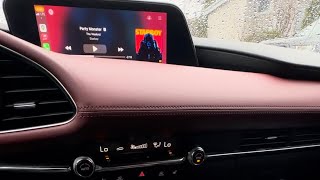
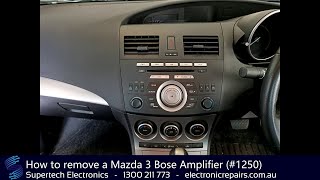
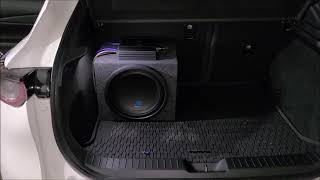
Technical Specifications
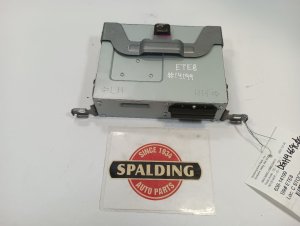
OEM Part Numbers: BDGF-66-A20A BDGF-66-A20B BDGF-66-A20C BDGF66A20A BDGF66A20B BDGF66A20C BDTS-66-A20A BDTS-66-A20B BDTS-66-A20C BDTS-66-A20D BDTS-66-A20E BDTS66A20A BDTS66A20B BDTS66A20C BDTS66A20D BDTS66A20E D44K-66-A20A
Designed for the 8-speaker non-Bose audio system. Integrates with the vehicle's CAN bus network. Requires programming via Mazda Diagnosis and Repair Software (MDARS).
We Have This Part in Stock




The information in this article is provided for general reference and educational purposes only. Vehicle specifications, procedures, and part compatibility can vary by production date, trim level, and region. Always consult your vehicle's factory service manual and verify part numbers before purchasing or performing repairs. Safety-critical components such as airbags, seat belts, and braking systems should be installed by a qualified professional.
- Mazda 3:
- Mazda CX-30:
- 🎬 Helpful Videos
- 🛍️ Shop This Part
- Symptoms of a Failing Audio Amplifier
- Vehicle and Part Compatibility
- Applicable Models:
- Turbo vs. Non-Turbo Engine Note:
- The Critical Step: VIN Programming is Not Optional
- Who Can Program the Amplifier?
- Buying a Used Audio Amplifier: What to Look For
- Replacement Cost Breakdown
- Frequently Asked Questions (FAQ)
- 🎟️ Get 5% Off