

2011-2018 Audi A8 & S8 B&O Amplifier: Sound, Silence, and Component Protection
Diagnosing and replacing the Bang & Olufsen slave amplifier in your D4-generation Audi A8 or S8, and why a dealer visit after installation is unavoidable.
- This amplifier is ONLY for the premium Bang & Olufsen (B&O) system; it will not work with standard or Bose audio.
- Water damage from trunk leaks is the #1 cause of failure. Always fix the leak before replacing the part.
- A replacement amplifier (new or used) MUST be programmed by a dealer or specialist to remove Component Protection.
- Symptoms include no sound, popping noises, sound from only one side, and MMI screen issues.
Primary Cause of Failure: Water Intrusion

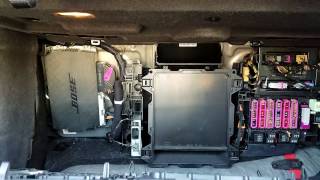
The most common reason for failure of the B&O slave amplifier in the Audi A8 and S8 is water damage. The amplifier is located in an electronics rack on the left side of the trunk, behind the trim panel. This area is highly susceptible to water ingress from several sources:
- Clogged Sunroof Drains: Over time, sunroof drains can become clogged with debris, causing water to overflow and run down into the trunk area.
- Failed Tail Light Seals: Degraded or improperly seated tail light gaskets can allow water to seep into the trunk and onto the electronics rack.
- Imperfect Trunk Lid Seams: Several Audi Technical Service Bulletins (TSBs), including 2065342/1 and others, address issues with faulty seam sealer on the trunk lid, which can allow water to enter the trunk when it's opened after rain or a car wash.
Pro Tip: Before replacing a failed amplifier, it is crucial to perform a water leak test to identify and fix the source of the water. Failure to do so will result in the replacement unit also failing from water damage. Check the trunk for any signs of dampness, musty smells, or water stains on the carpet and trim.
🎬 Watch: How to find the source of Audi water leaksSymptoms of a Failing B&O Amplifier

When the B&O slave amplifier begins to fail, you may experience a range of audio issues. Because it's part of a complex fiber-optic network, symptoms aren't always straightforward.
- No Sound or Intermittent Sound: The most obvious symptom is a complete loss of audio from the speakers. This may happen intermittently at first.
- Sound from Only One Side: The audio may only play from the left or right side of the vehicle.
- Popping, Cracking, or Static Noises: Loud static, pops, or crackles may come from the speakers, sometimes even when the audio system is turned off.
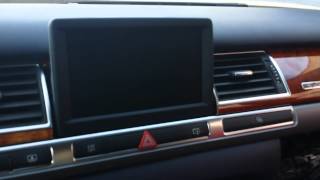
- MMI System Issues: A failing amplifier can disrupt the entire MOST fiber-optic loop, potentially causing the Multi Media Interface (MMI) screen to go black or freeze.
- Battery Drain: A faulty amplifier can fail to shut down correctly, leading to a parasitic draw that drains the vehicle's battery.
Diagnosing the Issue
A diagnostic scan using a tool like VCDS (VAG-COM) is the most effective way to confirm an amplifier failure. Common fault codes include:
- 00463 - Digital Sound System Control Module (J525): No Signal/Communication
- 00384 - Optical Data Bus: Open Circuit
- 03157 - Function Deactivation due to Component Protection (This will appear after a replacement is installed but before it is programmed)
You can also use a fiber-optic bypass loop to test the system. By unplugging the amplifier's fiber-optic connector and inserting the loop, you can complete the circuit. If other MMI functions return to normal, it strongly indicates the amplifier is the faulty component in the loop.
🎬 Watch: Step-by-step guide to troubleshooting Audi MMI and audioWarning: This amplifier is ONLY for vehicles equipped with the premium Bang & Olufsen sound system. It is not compatible with the standard or Bose audio systems. B&O systems are identifiable by the "Bang & Olufsen" branding on the speaker grilles.
CRITICAL: Component Protection Programming is Required

This is the most important factor to understand when replacing this amplifier. Audi vehicles use an anti-theft system called Component Protection (CP). When a new or used control module like this amplifier is installed, its serial number does not match what is stored in the vehicle's central gateway module.
As a result, the Component Protection system will activate, and the amplifier will not function correctly. Typically, audio from entertainment sources will play for a few seconds and then go silent, or sound will only come from one channel. Navigation voice prompts and phone calls may still work.
Removing Component Protection is not a DIY job. It requires a special diagnostic tool (ODIS) with an active online connection to Audi's servers in Germany to adapt the "new" part to your vehicle's VIN. This procedure must be performed by an Audi dealership or a qualified independent European auto specialist. Budget for this programming cost when purchasing a replacement amplifier.
Buying a Used Audio Amplifier
Given the high cost of a new OEM amplifier, a used unit is an excellent value. However, you must be diligent to ensure you get a good part.
- Verify the Part Number: Match the part number on your original amplifier exactly. Known compatible part numbers include 4H0035465, 4H0035466, and 4H1035465. While some may be interchangeable, an exact match is the safest bet.
- Inspect for Water Damage: This is the most critical inspection. Look for any signs of white or green corrosion on the aluminum casing and especially around the connectors. Do not buy any unit that shows signs of moisture exposure.
- Check the Connectors: Ensure all pins in the electrical connectors are straight and clean. The fiber-optic ports should be clean and free of debris.
- Factor in Programming Costs: Remember that even a perfectly functional used amplifier will require a trip to the dealer or a specialist for Component Protection removal. This can add $150-$300 to the total repair cost.
Replacement Overview
Physically swapping the amplifier is a straightforward job for a DIYer with basic tools.
- Location: The amplifier is in a multi-module rack on the left side of the trunk, behind the carpeted trim panel.
- Disconnect the Battery: Before working on any electronic components, disconnect the negative terminal of the vehicle's battery.
- Remove Trim: Carefully remove the trunk floor and left-side trim panels to access the electronics rack.
- Unbolt the Rack: Loosen the bolts holding the electronics rack to the vehicle body to gain better access to the amplifier.
- Disconnect and Swap: Unplug the main electrical connector and the orange fiber-optic cable. Be very careful with the fiber-optic cable, as it is fragile. Unbolt the old amplifier from the rack and install the new one. 🎬 See this walkthrough: How to remove the A8 amplifier
- Reassemble: Reconnect the cables, secure the rack, and reinstall the trim panels before reconnecting the battery.
- Schedule Programming: The final step is to take the vehicle to have Component Protection removed.
Cost Comparison
| Part Type | Estimated Cost |
|---|---|
| New OEM | $1,800 - $2,600 |
| New Aftermarket | Not Available |
| Used OEM | $300 - $800 |
| Remanufactured / Repair Service | $400 - $700 |
| Shop Labor (Replacement) | $150 - $300 |
| Shop Labor (Programming) | $150 - $300 |
Frequently Asked Questions (FAQ)
Does this amplifier need to be programmed after installation?
Yes, absolutely. It is protected by Audi's Component Protection system. After installation, it must be programmed to your vehicle's VIN by a dealer or specialist with online ODIS access, otherwise it will not function correctly.
Can I remove Component Protection myself?
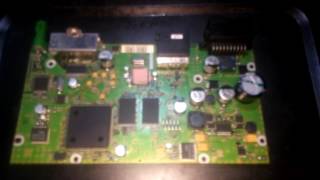
No. This process requires a proprietary diagnostic tool (ODIS) and a live, authenticated connection to Audi's servers. While some highly advanced users have swapped EEPROM chips between old and new boards, this is extremely risky and not recommended.
Why do I only have sound on one side after replacing my amplifier?
This is a classic symptom of active Component Protection. The system is partially muting the amplifier because it recognizes it as a foreign part. The unit needs to be programmed to the car to restore full function.
My sound went out. Is it definitely the amplifier?
Not necessarily. While the amplifier is a common failure point, especially due to water damage, the issue could also be another module on the fiber-optic MOST bus, such as the radio tuner or navigation unit. A proper diagnostic scan or a fiber-optic loop test is needed to isolate the failed component.
Helpful Videos
Technical Specifications
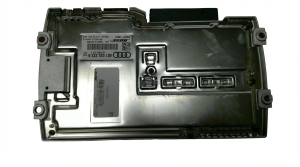
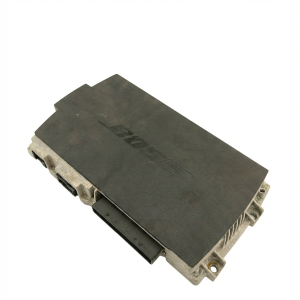
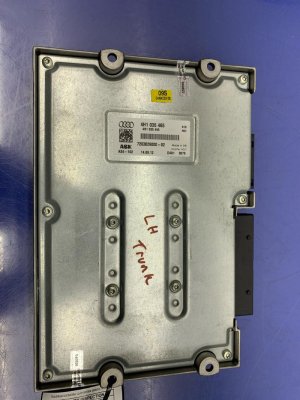
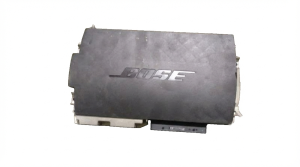
OEM Part Numbers: 4H0035465 4H0035465A 4H0035465B 4H0035466 4H1035465
System: Bang & Olufsen (B&O) "Slave" Amplifier. Connection Type: Electrical plug and Fiber-Optic (MOST bus).
We Have This Part in Stock



The information in this article is provided for general reference and educational purposes only. Vehicle specifications, procedures, and part compatibility can vary by production date, trim level, and region. Always consult your vehicle's factory service manual and verify part numbers before purchasing or performing repairs. Safety-critical components such as airbags, seat belts, and braking systems should be installed by a qualified professional.
- Audi A8:
- Audi S8:
- 🎬 Helpful Videos
- 🛍️ Shop This Part
- Primary Cause of Failure: Water Intrusion
- Symptoms of a Failing B&O Amplifier
- Diagnosing the Issue
- CRITICAL: Component Protection Programming is Required
- Buying a Used Audio Amplifier
- Replacement Overview
- Cost Comparison
- Frequently Asked Questions (FAQ)
- 🎟️ Get 5% Off