

Tesla GPS Signal Loss: Diagnosing the GNSS Antenna in Model 3, Y, S, X & Cybertruck
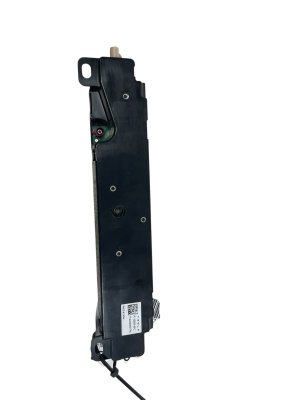
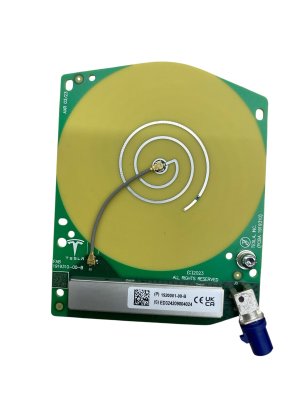
This guide covers the common causes of navigation and Autopilot failure related to the GNSS antenna (part 1920001-00-B) in 2020-2025 Tesla models.
- Before replacing the antenna, unplug all aftermarket USB devices and reboot the car, as they are a known cause of GPS signal interference.
- This part (1920001-00-B) is a GNSS (GPS) antenna only; it is NOT a combined rain sensor, which is a separate part.
- Failure symptoms include inaccurate map location, loss of navigation, and Autopilot/FSD becoming unavailable.
- Replacement is a relatively simple DIY job, but may require a 'DAS Reset' through the vehicle's Service Mode afterward.
Symptoms of a Failing Tesla GNSS Antenna

A problem with the GNSS antenna can significantly impact navigation and driver-assist features. Because the symptoms can also be caused by other issues, it's important to recognize the specific signs of a potential antenna failure.
- Inaccurate Vehicle Location: The most common symptom is the car's position on the navigation map being incorrect, appearing off-road, or jumping erratically between locations.
- "GPS Signal Lost" Errors: The main screen may display an error message indicating a loss of GPS or navigation signal.
- No Satellite Lock: In the vehicle's service menu, you may see zero connected GNSS satellites, even with a clear view of the sky.
- Delayed Signal Acquisition: The system may take an unusually long time to find its location after the vehicle starts.
- Autopilot or FSD Failure: Features like Autopilot, Navigate on Autopilot, and Full Self-Driving may become unavailable or disengage unexpectedly, often with an error message related to GPS.
- Incorrect Speed Limit Display: Since the car uses GPS to determine the speed limit for the current road, a faulty signal can cause the wrong speed limit to be displayed or lock cruise control to an incorrect speed.
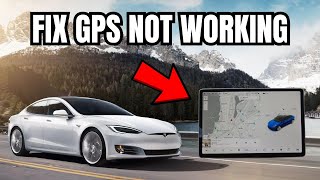
Pro Tip: Before suspecting the antenna, unplug ALL USB devices from the center console and glovebox ports, including hubs and flash drives. Some aftermarket USB 3.0 devices are known to cause electromagnetic interference that blocks the GNSS signal, mimicking a hardware failure. A Tesla Service Bulletin for Model S and X specifically requires technicians to rule out USB interference 🎬 See how to fix low GPS accuracy warnings yourself before replacing the antenna.
Known Issues, Service Bulletins, and Recalls

While there are no active recalls for this specific part, Tesla has acknowledged issues with GNSS signal strength on certain models.
Service Bulletin SB-24-21-002 (Model S & Model X)
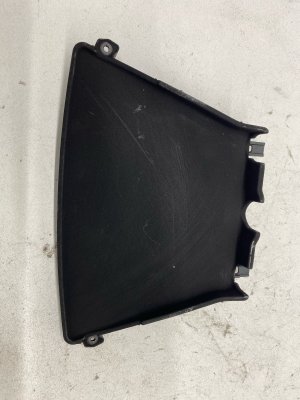
For some Model S and Model X vehicles, Tesla issued a bulletin addressing lower-than-expected navigation signal strength. The bulletin outlines a procedure for technicians to check signal levels. If interference from aftermarket USB devices is ruled out and signal strength is still low (below a value of "40" in diagnostic tools), the recommended fix is to replace the original GNSS antenna with an updated part (part number 1920001-00-C or newer) that offers better resistance to electromagnetic interference. In some cases, the rearview mirror cover is also replaced.
NHTSA Investigation (All Models)
It is important to note that there is an ongoing NHTSA engineering analysis (EA26002) into the performance of Tesla's camera-based "Vision" system in low-visibility conditions. This investigation covers the Model 3, Y, S, X, and Cybertruck. While this is not a fault of the GNSS antenna, a failure of the camera system can also lead to the disengagement of Autopilot and FSD, a symptom that can overlap with a GPS issue.
Buying a Used Antenna

Since new OEM parts are not typically sold directly to the public and aftermarket options are rare, a used OEM antenna is the most common and cost-effective solution. Here’s what to look for when buying a recycled part:
- Verify the Part Number: Ensure the part is 1920001-00-B or a later revision like 1920001-00-C. While other antenna part numbers exist for different functions (like Bluetooth or AM/FM radio), only the correct GNSS antenna will work for navigation.
- Inspect for Physical Damage: Check the plastic housing for any cracks or signs of stress. Most importantly, inspect the electrical connector pins to ensure they are straight and free of corrosion. The small mounting tabs should also be intact.
- Check the Source Vehicle: If possible, choose a part from a newer, low-mileage vehicle. However, as this is a solid-state electronic component, mileage is less of a concern than physical damage.
- Understand the Risk: Remember that a used antenna will not solve a problem caused by USB device interference. Always perform the USB troubleshooting steps mentioned above before ordering a replacement part.
Replacement Information
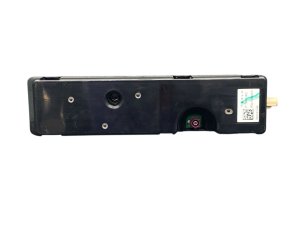
Replacing the GNSS antenna is feasible for an experienced DIYer. It is located inside the forward camera housing on the front windshield.
- Difficulty: 2/5 (Minor disassembly required, but a potential software step adds complexity)
- Tools Required: Plastic trim removal tools, Torx T10 bit.
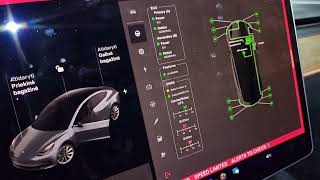
- Procedure Overview: The process involves carefully prying off the plastic covers behind the rearview mirror. Depending on the model, you may need to remove the rearview mirror and/or release the forward camera assembly to gain access. The antenna itself is typically held by a single T10 Torx screw and two plastic tabs. After disconnecting the electrical connector and swapping the part, the covers are snapped back into place. 🎬 Watch this walkthrough for solving poor GPS signal issues
Warning: On some models and for certain repairs, a Driver Assistance System (DAS) reset or camera calibration may be necessary after the antenna is replaced. This is performed through the vehicle's Service Mode on the touchscreen. Failure to perform this step if required could result in ADAS features being unavailable.
Cost to Replace a Tesla GNSS Antenna
| Part Type | Estimated Cost |
|---|---|
| New OEM | Not generally available for public sale. |
| New Aftermarket | $40 - $130 (Generic aftermarket rain sensors exist, but direct-fit GNSS antennas are not common). |
| Used OEM | $50 - $250. |
| Shop Labor | $75 - $150 (Based on a labor time of 0.5-1.0 hours). |
Frequently Asked Questions (FAQ)
Can I drive my Tesla with a bad GNSS antenna?
Yes, but with limitations. The vehicle will still drive normally, but you will lose map navigation and location-based features. More importantly, Autopilot, Full Self-Driving, and cruise control may be disabled or severely limited.
Is the GPS antenna the same as the rain sensor?
No. Although they are located near each other in the windshield camera housing, they are separate parts with different part numbers. The GNSS antenna is part number 1920001-00-B, while rain sensors have different numbers like 1515033-00-D. Some online sellers incorrectly label the GNSS antenna as a combined unit.
Why did my navigation stop working after I plugged in a new USB drive?
Many aftermarket USB 3.0 devices, especially poorly shielded ones, emit radio frequency interference that can jam the GNSS signal. Tesla has issued a service bulletin about this exact issue. Before assuming your antenna is broken, remove all USB devices (hubs, drives, charging adapters) and reboot the car's touchscreen to see if the signal returns.
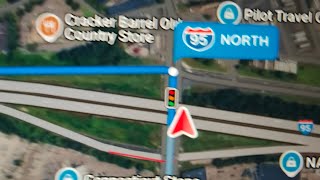
🎬 Watch: Troubleshooting steps for Tesla GPS and navigation issuesDo I need to take my car to Tesla to have the antenna replaced?
Not necessarily. The physical replacement is straightforward for a DIYer or any independent repair shop. However, some models may require a software-side 'DAS Reset' using the car's Service Mode after installation. If you are not comfortable with this step, having a Tesla service center or a qualified independent shop perform the work is recommended.
Helpful Videos
Technical Specifications
OEM Part Numbers: 1920001-00-B 1920001-00-C
Function: Global Navigation Satellite System (GNSS) Antenna. Location: Windshield, inside forward camera housing. Common Tools: T10 Torx bit, plastic trim tools.
We Have This Part in Stock

The information in this article is provided for general reference and educational purposes only. Vehicle specifications, procedures, and part compatibility can vary by production date, trim level, and region. Always consult your vehicle's factory service manual and verify part numbers before purchasing or performing repairs. Safety-critical components such as airbags, seat belts, and braking systems should be installed by a qualified professional.
- Tesla Model 3:
- Tesla Model X:
- Tesla Model Y:
- Tesla Model S:
- Tesla Cybertruck:
- 🎬 Helpful Videos
- 🛍️ Shop This Part
- Symptoms of a Failing Tesla GNSS Antenna
- Known Issues, Service Bulletins, and Recalls
- Service Bulletin SB-24-21-002 (Model S & Model X)
- NHTSA Investigation (All Models)
- Buying a Used Antenna
- Replacement Information
- Cost to Replace a Tesla GNSS Antenna
- Frequently Asked Questions (FAQ)
- 🎟️ Get 5% Off