

2017-2018 Mazda 3 Adaptive Light Module: Fixing the Flashing AFS Warning
This guide covers the common failures, symptoms, and replacement procedures for the Adaptive Front-lighting System (AFS) control module in the 2017-2018 Mazda 3.
- The most common symptom of failure is a flashing 'AFS OFF' light on the dashboard.
- After replacement, the new module MUST be initialized. This can be done by a DIYer by grounding a pin on the OBD-II port or by a shop with a diagnostic tool.
- Ensure you are buying a module for a vehicle WITH the Adaptive Front-lighting System. The correct part number is B63D-51-02X.
- The module itself is a common failure point, but the fault can also be with suspension height sensors or the motors inside the headlight assemblies.
Symptoms of a Failing AFS Control Module
When the AFS control module in a 2017-2018 Mazda 3 begins to fail, the signs are usually very clear. The headlights themselves will likely still turn on, but the adaptive features will be disabled.
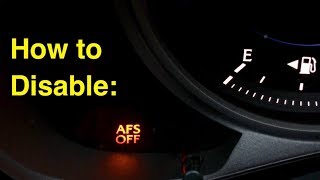
- Flashing "AFS OFF" Light: This is the most common symptom. The "AFS OFF" indicator in the instrument cluster will flash continuously to signal a system malfunction. A solid, non-flashing light simply means the system has been manually turned off via the switch on the dashboard.
- Headlights Don't Swivel: The headlights will no longer turn in sync with the steering wheel. They will remain in a fixed, straight-ahead position.
- No "Sweep" at Startup: On a healthy system, the headlights often perform a self-test when the car is started, sweeping side-to-side or up-and-down. A failed module may prevent this initialization sequence.
- Diagnostic Trouble Codes (DTCs): A professional scan tool may reveal specific codes stored in the module. Common codes related to AFS failure include B1041:54 (AFS Control Module Malfunction) or B10A3:86 (Error signal from swivel actuator).
Known Issues, Recalls, and Technical Service Bulletins (TSBs)
As of mid-2026, there are no specific recalls from the National Highway Traffic Safety Administration (NHTSA) for the AFS control module on the 2017-2018 Mazda 3. However, some related issues and service bulletins are worth noting for diagnosis.
- No Recalls: There are no active safety recalls for this specific component on these model years. Recalls for the 2017-2018 Mazda 3 pertain to other components like the windshield wipers or rearview camera.
- Related TSBs: Mazda has issued TSBs for other models regarding condensation inside headlight housings, which can lead to electrical issues. Additionally, a general electrical TSB notes that aftermarket devices plugged into the OBD-II port (like insurance trackers) can cause communication errors and trigger AFS-related fault codes.
- Related Component Failures: Sometimes the flashing AFS light is caused by a failure in a related part, not the module itself. This can include faulty suspension height sensors, which provide leveling information to the system, or a burned-out motor inside one of the headlight assemblies.
Programming and Initialization After Replacement
Yes, this module requires an initialization procedure after installation. This is the most critical step after replacing the AFS control module. Without it, the system will not function correctly, and the AFS OFF light will continue to flash. Fortunately, this can be done without a trip to the dealer.
DIY Initialization Procedure (Without Scan Tool)
Mazda service documents outline a manual procedure to initialize a new AFS control module. This process tells the new module the vehicle's baseline height.
Warning: This procedure involves using a jumper wire on the Data Link Connector (DLC-2), also known as the OBD-II port. Connecting the wrong terminals can cause serious electrical damage to your vehicle. Double-check the terminal positions before proceeding.
- Ensure the vehicle is on level ground with no passengers or cargo, and tire pressures are set to specification.
- Turn the ignition ON. The AFS OFF light will be flashing; this is normal before initialization.
- Using a jumper wire, ground terminal 'B' of the DLC-2 port to a chassis ground (like terminal 'J' in the same port). You must connect and disconnect the jumper wire 3 or more times within a 1-second interval for each connection.
- If the initialization is successful, the AFS OFF indicator light will flash three times and then turn off.
- If the light continues to flash, the procedure was not successful. Check your connections and repeat the steps. 🎬 Watch: DIY diagnosis and fixes for the Mazda AFS OFF light
Dealer/Shop Initialization
A Mazda dealership or a well-equipped independent shop can perform the initialization using the Mazda Modular Diagnostic System (M-MDS). This is a faster and more surefire method, connecting directly to the vehicle's computer to run the "Auto Leveling Sensor Re-zero Procedure".
Buying a Used AFS Control Module
A used OEM module is a cost-effective and reliable alternative to a new part, especially since aftermarket modules for this specific function are not readily available. Here’s what to look for:
- Verify the Part Number: The only way to ensure compatibility is to match the part number exactly. For the 2017-2018 Mazda 3, you need B63D-51-02X (or B63D5102X). Do not install a module from a different vehicle, even if it looks identical.
- Physical Inspection: Before purchasing, inspect the module for any signs of physical damage. Check for cracks in the plastic housing, bent or corroded connector pins, and any evidence of water intrusion. Since the module is located inside the cabin, it should be clean and free of corrosion.
- Source and Mileage: Purchase from a reputable seller that offers a warranty and a return policy. The mileage of the donor vehicle is not a primary concern for this type of electronic module, as failure is not directly tied to wear and tear. Functionality is key.
- Why Used OEM is a Good Choice: A used genuine Mazda module is designed to communicate perfectly with your vehicle's other systems. Cheap aftermarket electronics, if available, often have firmware issues or use lower-quality components that can lead to premature failure or unpredictable behavior.
Pro Tip: The AFS control module is located inside the vehicle's cabin, typically under the dashboard on the passenger or driver's side, often behind trim panels. This protects it from engine heat and weather, so a used unit is usually in good cosmetic condition.
Cost Comparison for AFS Module Replacement
Prices can vary based on your location and the supplier. The following is an estimated breakdown of costs.
| Part/Service | Estimated Cost |
|---|---|
| New OEM Module | $240 - $340 |
| New Aftermarket Module | Not Commonly Available |
| Used OEM Module | $50 - $150 |
| Shop Labor (Replacement & Initialization) | $120 - $255 (1.0-1.5 hours) |
Frequently Asked Questions (FAQ)
Do I have to replace the module if the AFS OFF light is flashing?
Not necessarily. The flashing light indicates a fault somewhere in the system. While the module is a common culprit, the issue could also be a bad suspension level sensor, a problem with the motor in the headlight itself, or a wiring issue. A proper diagnosis with an OBD-II scanner that can read Mazda-specific body codes is recommended before replacing parts.
Is it safe to drive with a malfunctioning AFS system?
Yes, but with reduced visibility. When the AFS system fails, the headlights will still function as normal low and high beams, but they will not swivel into turns. This reduces your visibility on dark, winding roads. It will not prevent the vehicle from being driven.
Where is the AFS control module located on a 2017-2018 Mazda 3?
The AFS control module is located inside the passenger cabin, protected from the elements. On similar Mazda models, it is often found behind trim panels in the passenger footwell or under the dashboard near the driver's side. You will likely need to remove a scuff plate or under-dash cover to access it.
Can I just pull a fuse to turn the flashing light off?
Yes, some owners choose to pull the AFS fuse to disable the system and extinguish the flashing warning light, especially after installing aftermarket headlights that are not compatible with the AFS system. While this removes the annoyance of the light, it does not fix the underlying problem and permanently disables the adaptive headlight feature.
🎬 Watch: Two ways to disable the AFS light with aftermarket headlightsHelpful Videos

Technical Specifications
OEM Part Numbers: B63D-51-02X B63D5102X
Controls the swiveling function of the adaptive LED headlights.
We Have This Part in Stock



The information in this article is provided for general reference and educational purposes only. Vehicle specifications, procedures, and part compatibility can vary by production date, trim level, and region. Always consult your vehicle's factory service manual and verify part numbers before purchasing or performing repairs. Safety-critical components such as airbags, seat belts, and braking systems should be installed by a qualified professional.
- Mazda 3:
- 🎬 Helpful Videos
- 🛍️ Shop This Part
- Symptoms of a Failing AFS Control Module
- Known Issues, Recalls, and Technical Service Bulletins (TSBs)
- Programming and Initialization After Replacement
- DIY Initialization Procedure (Without Scan Tool)
- Dealer/Shop Initialization
- Buying a Used AFS Control Module
- Cost Comparison for AFS Module Replacement
- Frequently Asked Questions (FAQ)
- 🎟️ Get 5% Off